What data platforms do, at any level
Tactical data platforms pull thousands of actions per match out of video. They are very useful, but they only cover the big leagues and not every club can pay for them. In youth football, lower divisions or small leagues there is no data to buy.
SquadOffice turns the problem around: the actions are tagged by whoever watches the match. The scout does it from the stands on a phone; the analyst, later, in front of the video. With that the app builds two full reports on its own.
The player report
- The match in detail: matchday, score, opponent level, systems, minutes played, shirt number and conditions.
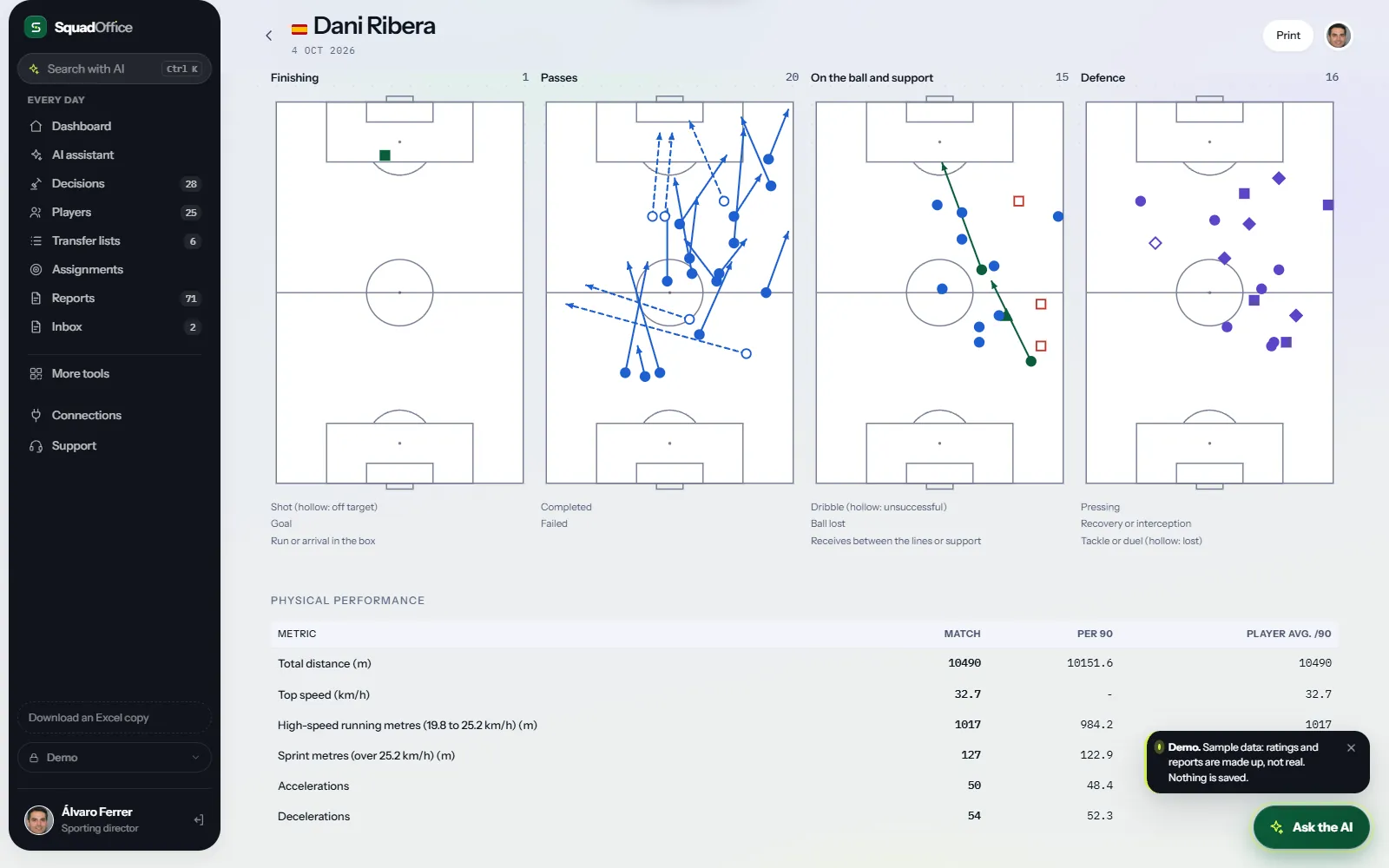
- What they did, in tables: every action in the match, per 90, by half, by third of the pitch and against their average in other matches. With success rates for shots, passes, dribbles and duels.
- Minute-by-minute activity on and off the ball, to see when they disappear from the game.
- Four maps: finishing, passing, on the ball and defending. Filled for what worked; hollow for what did not.
- Physical output if the club uses GPS: distance, high-speed running, sprints, top speed and accelerations.
- Tactical profile on six axes: finishing, build-up, involvement, defending, physical and set pieces.
- Evolution report by report and where they stand against the players in their position your club has scouted.
The match report
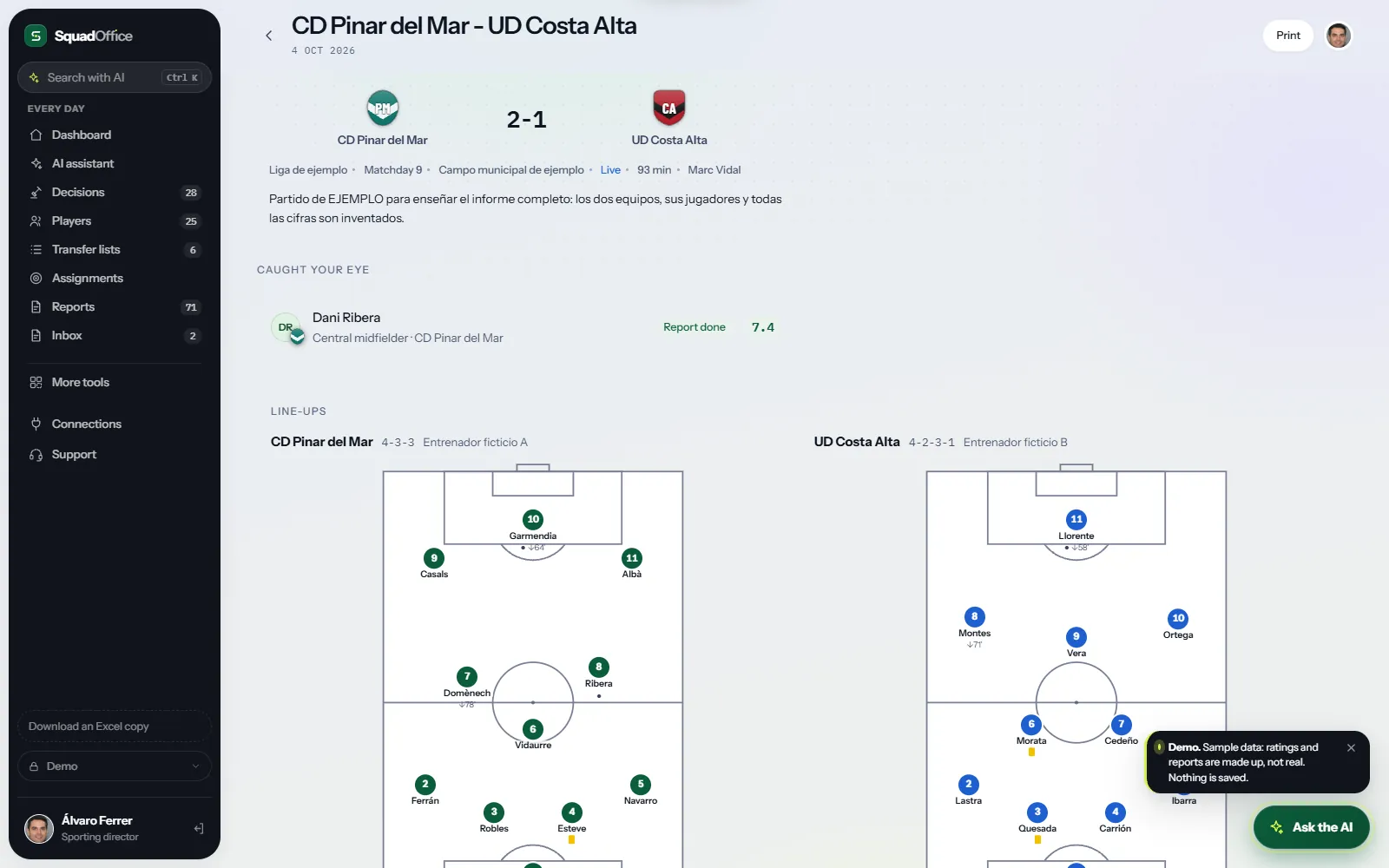
- Line-ups drawn on the pitch, with shirt numbers, substitutions, goals and cards.
- How each team played: system in and out of possession, block height, pressing, build-up, style and where they attack.
- Key actions and set pieces, team against team.
- Who dominated each fifteen minutes, with goals and cards at their minute.
- Losses and recoveries by zone and each team's shot map.
- The player matrix: every action of every player in the match in one table.
- Key moments and analysis by phase of play, with the conclusion of whoever watched it.
How tagging works
- Paste the line-ups, one line per player with their shirt number.
- Start the clock at kick-off: the minute is recorded automatically.
- Pick a player and an action, say whether it worked and tap where it happened. Passes and runs have a start and an end.
- The report builds itself. What is not tagged does not show: no table is filled with zeros nobody counted.
What an automatic report does not have
On top of the numbers, the scout records what no data shows: what the player does in each phase of play, what type of player they are, how far they can go, whether they fit your team and how confident the rating is. And the comparison is not with a whole league, but with the players your club really has on its radar.
The demo includes a sample match and a sample player, with made-up teams and names, so you can see both reports in full.
Questions
Do you have to tag the whole match?
No. Every tagged action adds up, and whatever is not tagged simply does not show in the report. Many clubs only tag the players they are following.
Does it work at levels with no video or data?
Yes, that is what it is built for: the scout tags live from the stands, with no video and no data provider.
Can GPS data be added?
Yes. If the club uses GPS, it is entered after the match and shows in the player report, per 90 and against their average.